✕

Cheat SHACK for ARC RAIDERS

On update
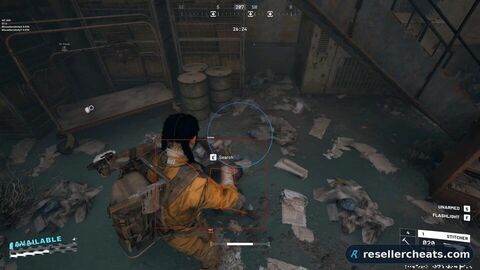
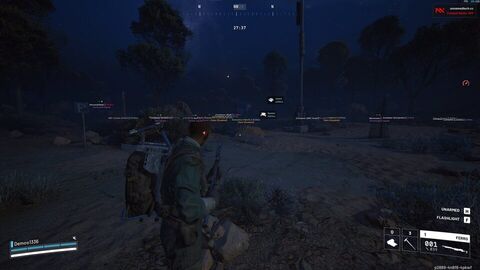
Cheat screenshot SHACK for ARC RAIDERS

Currently on update

The developer is preparing an update for SHACK. Checkout will reappear here as soon as it ships.

Available for ARC RAIDERS
DULLWAVE from $4.26 Fecurity from $5.26 All cheats for ARC RAIDERS →

Question before buying? Contact support →

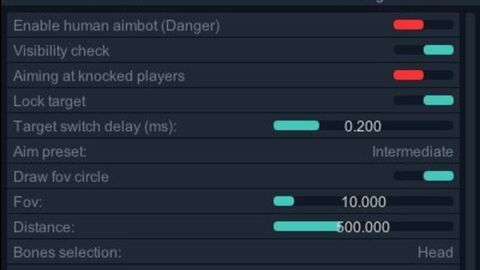
Shack Private for Arc Raiders is a cheat for full domination. Smart aimbot with FOV settings and Silent Aim mode. Detailed ESP shows players, vehicles and loot with distance filtering. Interactive radar and color customization.

System requirements

OS
Windows 10 (1903, 1909, 2004, 20H2, 21H1, 21H2, 22H2) , Windows 11 (21H2, 22H2,23H2)
CPU
Intel and AMD
Window mode
Windowed, Borderless
Built-in spoofer
No
USB drive required
Not required
Game client
Steam

Features of SHACK

97 items · 16 sections
Adjustable FOV (1–180°) Maximum distance control (0–1000 m) Bone selection (head, neck, chest, etc.) Visibility check (several modes) FOV circle display Locked target highlight
Aim at players Aim at ARCs Smooth aim (0–100%) Target priority (players / lowest HP) Target switch delay (0–1000 ms) Automatic visible bone selection Max target speed setting
Xbox controller support Key binding (PC / Xbox) Mouse, keyboard and controller support Silent Aim FOV (Rage mode)
Main settings Player name display Distance display Boxes (2D / 3D) Snaplines Player skeleton Visibility check Health bar Individual colors (visible / hidden)
Teammate ESP toggle Show / hide bodies Distance filter (0–1000 m) Font size adjustment (8–30)
Main settings ARC name display Distance display Boxes (2D / 3D) Snaplines Skeleton Visibility check Health bar Individual colors (visible / hidden)
Distance filter (0–1000 m) Font size adjustment (8–30)
Display options Item names Distance to items Quantity and stacks Show picked-up objects Container display
Resupply Drop Salvage Container Spacer Tech ARC Cargo Drop Other containers
Show open / closed containers Lootable-only filter Distance filter (0–1000 m) Font size adjustment (8–30)
Main features Circular mini radar Player tracking ARC tracking Item display Container display Other objects
Size (50–200 px) Range (100–2000 m) Opacity (20–100%) X/Y position Icon size (1–8)
Customizable crosshair (1–30) FPS display Player counter VSync toggle Multilingual font support Font outline settings Global font size (8–30) Display of all objects (Debug)
Color system Individual colors for every element RGBA color picker Colors for visible / hidden objects FOV color setting Crosshair color Player color ARC color Item and container color
Profile management Saving and loading configs JSON config system Xbox controller support Hotkey setup
Modern interface Dark theme Tabbed layout Smooth animations Info tooltips Resizable window Responsive design

FAQ about SHACK

SHACK is currently On update — the developer is adapting it to a fresh game patch. It must not be launched meanwhile, wait for the status to change.

The feature set is split into 16 sections: Core Settings, Targeting Options, Control Settings, Player ESP, Filters and settings, ARC ESP, CONFIGURATION, Items & Containers ESP, Container types, Filters and configuration, Radar System, Radar settings, Miscellaneous, Visual Customization, Configuration, User Interface. The full list of items inside each section unfolds on this page in the Features section.

Screenshot preview

Useful cheat guides

No marketing talk: how private software works, what gets you banned and what to look at before buying.