Cheat MEDUSA FULL for DayZ

UNDETECTED Last detection: Никогда Last check: 07.08.2026

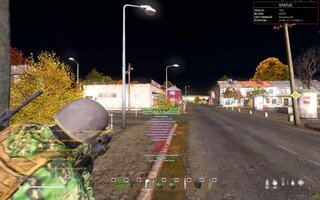
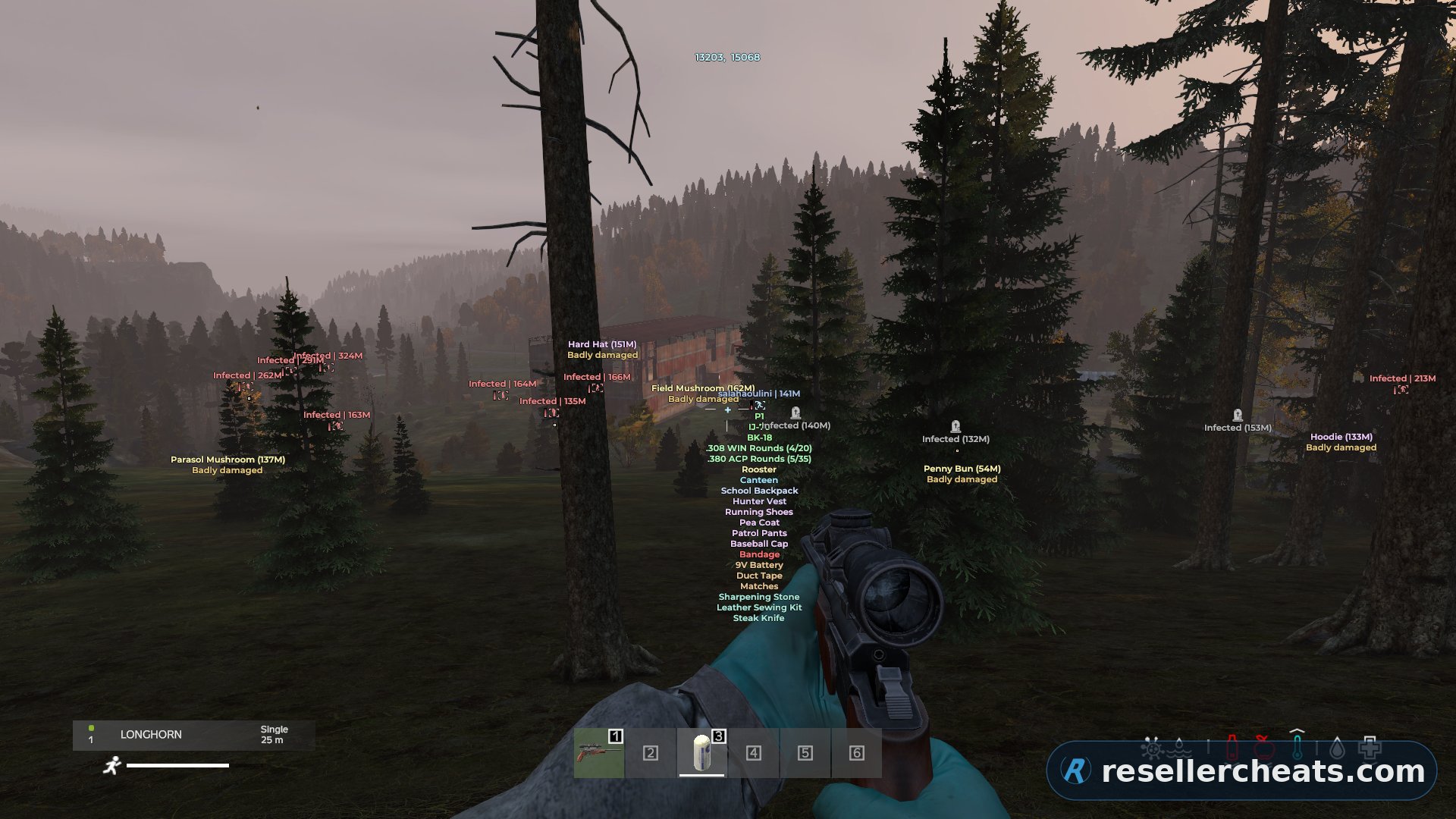
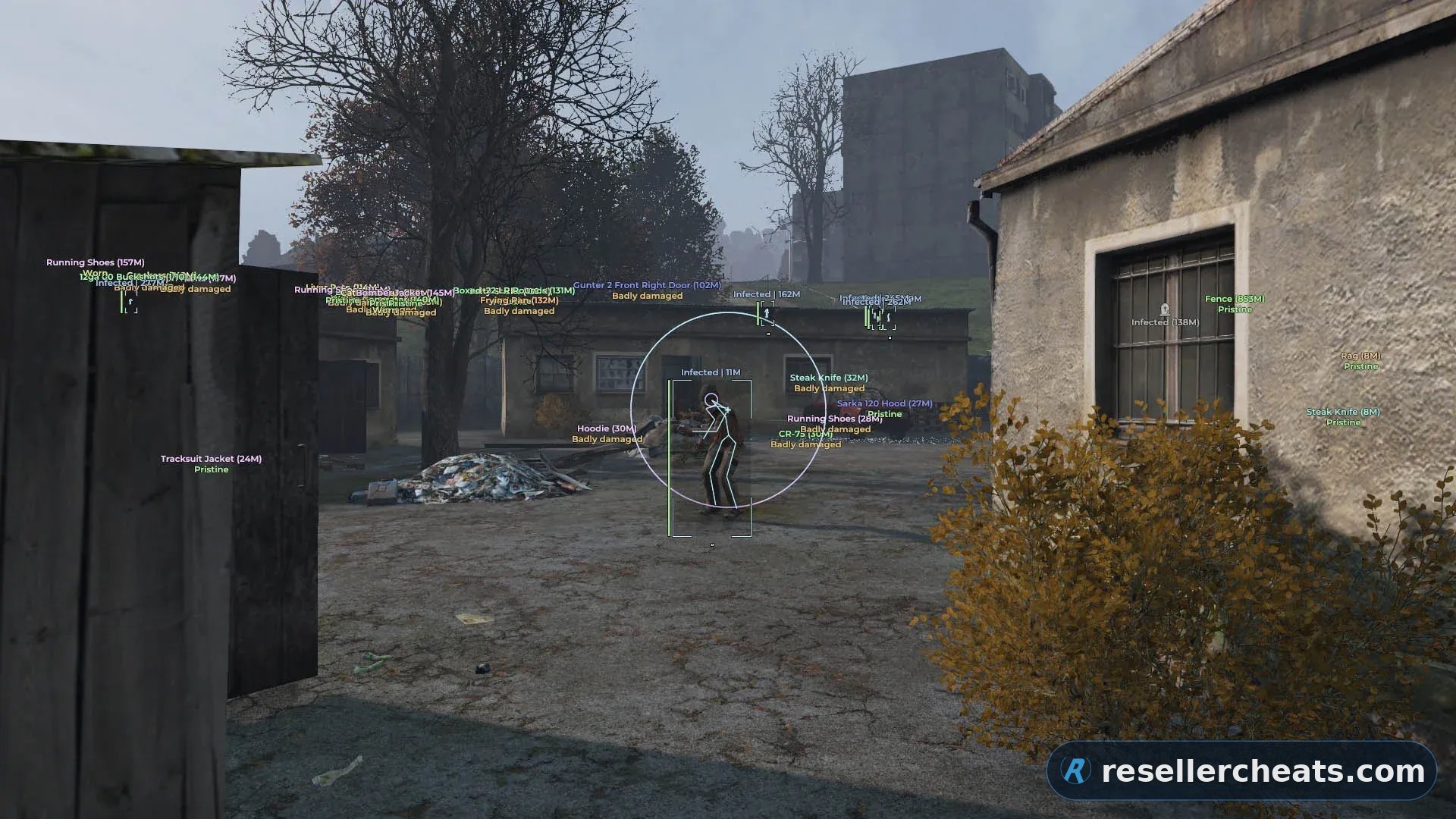
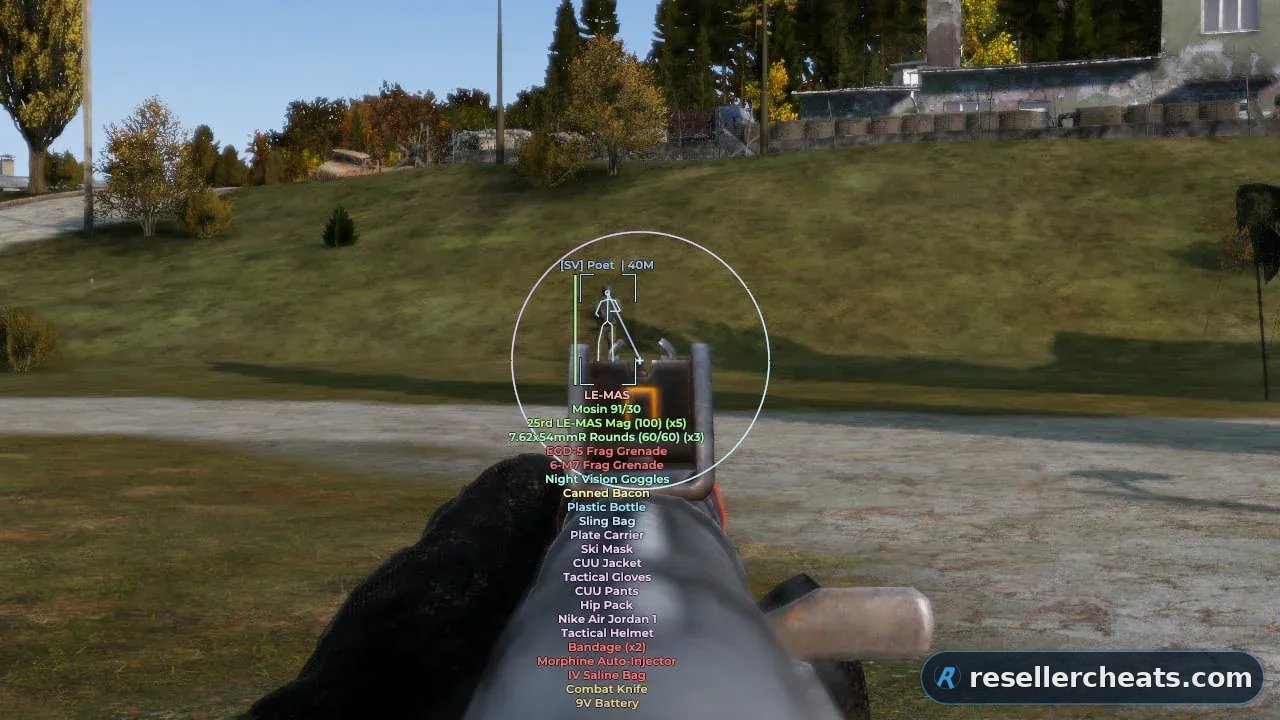
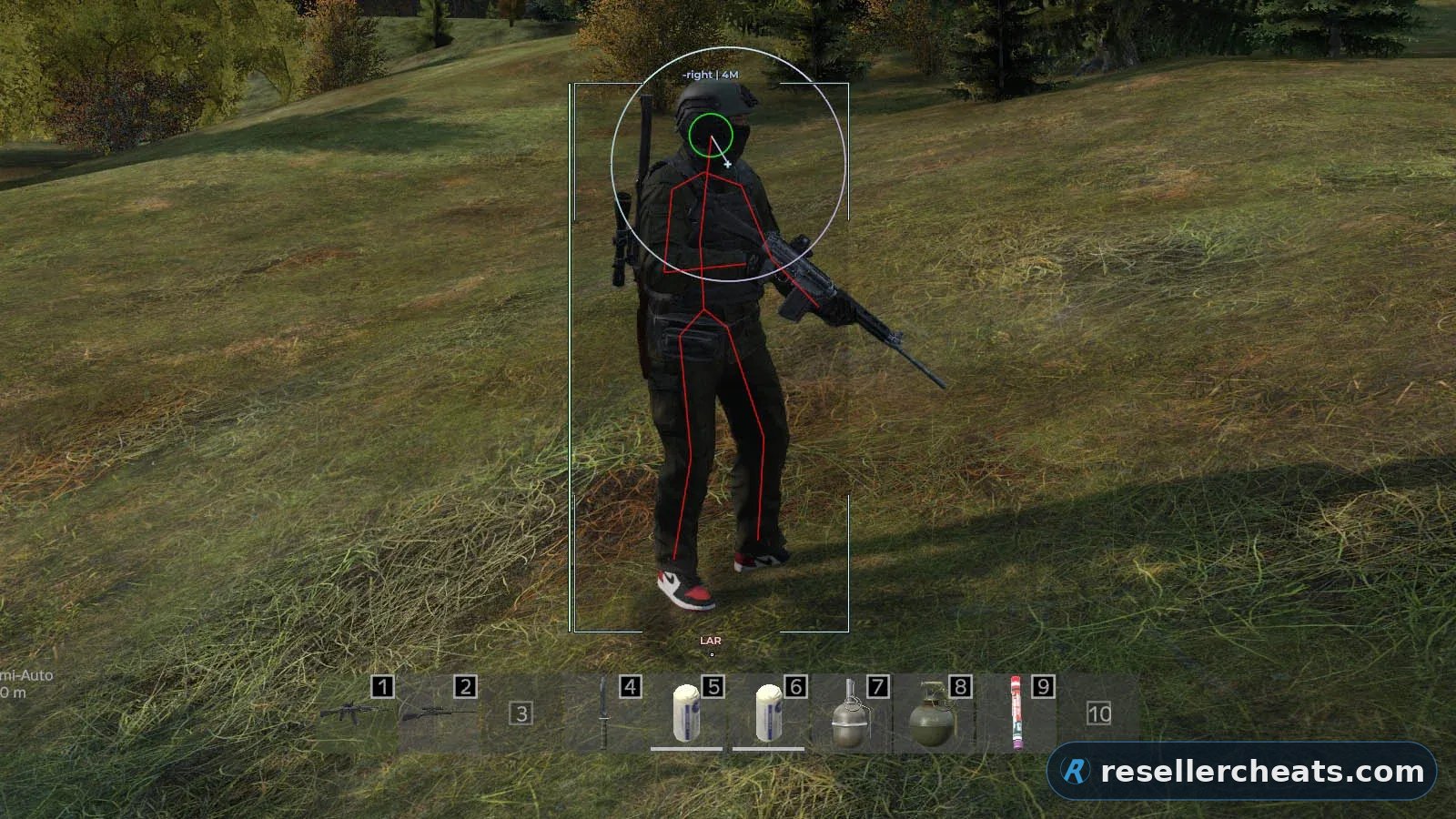
MEDUSA FULL draws players with a skeleton, health bar and head dot, and shows loot as icons or text with a distance limit. Death markers keep the time of death and hide during combat. The aimbot is tuned by radius and range, and there is a magic bullet option. Separate sections cover free camera with noclip, night vision and full bright, loot through walls and third person view. Spoofer built in, the key arrives right after payment.


Features of MEDUSA FULL

Enable Activates the aimbot with the assigned key.
FOV Adjusts the target capture area around the crosshair.
Max. distance Limits the working range of the aimbot.
Magic bullet Allows hits on the selected target without the usual straight bullet path.
Target at Selects target types for the aimbot: players, infected, or animals.
Ignore Excludes selected target types from aiming.
Random body part Randomizes the hit point so shots do not look identical.
Body part Lets you choose the main hit zone.
Target info Shows information about the selected target.
Target info color Changes the color of the target information text.
Line to target Draws a line to the selected target.
Line to target color Changes the color of the target line.
FOV style Changes the visual style of the aimbot FOV area.
FOV color Sets the color of the FOV area.
Filled FOV style Changes the fill style of the FOV area.
Filled FOV color Sets the fill color of the FOV area.
PLAYER
Enable Enables player ESP.
Max. distance Limits the player ESP display range.
Head dot Shows a dot on the player’s head.
Skeleton Shows the player model skeleton.
Health bar style Changes the health bar style.
Health bar color Sets the health bar color.
Info Shows player information, including name and distance.
Info color Changes the information text color.
Box style Changes the box style around players.
Box color Sets the player box color.
Filled box style Changes the filled box style.
Inventory Shows the player’s inventory.
Item in hands Shows the item or weapon currently held by the player.
Tracers Draws lines to players.
Friends Marks friends separately so they are not confused with targets.
INFECTED
Enable Enables infected ESP.
Max. distance Limits the infected ESP display range.
Head dot Shows a dot on the infected’s head.
Skeleton Shows the infected model skeleton.
Health bar style Changes the health bar style.
Health bar color Sets the health bar color.
Info Shows infected information, including name and distance.
Info color Changes the information text color.
Box style Changes the box style around infected.
Box color Sets the infected box color.
Filled box style Changes the filled box style.
Inventory Shows the infected inventory.
Tracers Draws lines to infected.
ANIMALS
Enable Enables animal ESP.
Max. distance Limits the animal ESP display range.
Icon Shows animals with an icon.
Distance Shows the distance to the animal.
Health bar Displays the animal’s health.
CARS
Enable Enables car ESP.
Max. distance Limits the car ESP display range.
Icon Shows cars with an icon.
Distance Shows the distance to the car.
Inventory Shows the car inventory.
PLAYER CORPSE
Enable Enables player corpse ESP.
Max. distance Limits the display range for player corpses.
Icon Shows player corpses with an icon.
Distance Shows the distance to the corpse.
Inventory Shows the corpse inventory.
Hide in battle mode Hides player corpses during combat.
INFECTED CORPSE
Enable Enables infected corpse ESP.
Max. distance Limits the display range for infected corpses.
Icon Shows infected corpses with an icon.
Distance Shows the distance to the corpse.
Inventory Shows the corpse inventory.
Hide in battle mode Hides infected corpses during combat.
ANIMAL CORPSE
Enable Enables animal corpse ESP.
Max. distance Limits the display range for animal corpses.
Icon Shows animal corpses with an icon.
Distance Shows the distance to the corpse.
Hide in battle mode Hides animal corpses during combat.
OTHER
Enable Enables ESP for other objects.
Max. distance Limits the display range for other objects.
Distance Shows the distance to the object.
Hide in battle mode Hides extra markers during combat.
MISC
Helicrash Shows helicopter crash sites.
Bullet tracers Displays bullet tracers.
Crosshair Enables a custom crosshair.
Place deaths Shows death locations.
Icon Shows death locations with an icon.
Time Shows the time of death.
Color Changes the death marker color.
Hide in battle mode Hides death markers during combat.
Enable Enables loot ESP.
Max. distance Limits the loot ESP display range.
Draw style Selects the item display format.
Only icon Shows items as icons.
Only text Shows items as text labels.
Icon + text Shows items with both icon and text.
Info Configures item data: quality, category, and distance.
Quality Shows item condition.
Category Shows item category.
Distance Shows the distance to the item.
Categories Lets you choose which item types should be displayed.
Item qualities Filters items by condition.
Inventory Shows items inside inventories and containers.
Show only when hovering Shows item information only when aiming at it.
Hide in battle mode Hides loot during combat.
Show debug info Shows technical item data.
Search Lets you quickly find a specific item.
Name Field for item name or search input.
Available item list Shows items available to add to the filter.
Filtered item list Shows items already added to the filter.
Weapons Shows weapons.
Magazines Shows weapon magazines.
Ammo Shows ammunition and ammo-related items.
Explosives Shows explosives.
Suppressors Shows suppressors.
Optics Shows scopes and optical devices.
Attachments Shows weapon attachments.
Food Shows food.
Drinks Shows drinks.
Cooking Shows cooking-related items.
Backpacks Shows backpacks.
Vests Shows vests.
Clothing Shows clothing.
Medicine Shows medical items.
Tools Shows tools.
Containers Shows containers.
Stashes Shows stashes.
Base building Shows base-building items.
Other Shows all other items.
Melee weapons Shows melee weapons.
Vehicle parts Shows vehicle parts and vehicle-related items.
Consumables Shows consumable items.
Crafting Shows crafting items.
Ruined Shows ruined items.
Pristine Shows items in perfect condition.
Worn Shows worn items.
Damaged Shows damaged items.
Badly damaged Shows badly damaged items.
Cooking color Sets a separate color for cooking items.
Other color Sets a separate color for other items.
Vests color Sets a separate color for vests.
Clothing color Sets a separate color for clothing.
Medicine color Sets a separate color for medical items.
Melee weapons color Sets a separate color for melee weapons.
Vehicle parts color Sets a separate color for vehicle-related items.
Consumables color Sets a separate color for consumables.
Crafting color Sets a separate color for crafting items.
Tools color Sets a separate color for tools.
Containers color Sets a separate color for containers.
Weapons color Sets a separate color for weapons.
Magazines color Sets a separate color for magazines.
Ammo color Sets a separate color for ammunition.
Explosives color Sets a separate color for explosives.
Suppressors color Sets a separate color for suppressors.
Optics color Sets a separate color for optics.
Attachments color Sets a separate color for attachments.
Food color Sets a separate color for food.
Drinks color Sets a separate color for drinks.
Backpacks color Sets a separate color for backpacks.
Stashes color Sets a separate color for stashes.
Base building color Sets a separate color for base-building items.
Loot through walls Allows interaction with loot through obstacles.
Local position Shows the player’s current coordinates.
Open third-person view Enables third-person view.
Free camera Enables free camera control.
Noclip Allows the camera to pass through obstacles.
Camera and noclip speed Adjusts free camera and noclip speed.
Night vision Enables night vision.
Full bright Removes darkness and makes the scene brighter.
Time changer Allows changing the time of day.
Disable grass Removes grass for a cleaner view.
Fog changer Allows fog adjustment.
Fog intensity Controls fog density.
Rain changer Allows rain adjustment.
Rain intensity Controls rain strength.
Snowfall changer Allows snowfall adjustment.
Snowfall intensity Controls snowfall strength.
Cloudiness changer Allows cloudiness adjustment.
Cloudiness intensity Controls cloudiness strength.
Keybind list Shows assigned hotkeys.
Active hotkeys only Shows only enabled keybinds.
Transparent window Makes the keybind window less intrusive.
Config list Shows saved configuration profiles.
Name Field for naming a new configuration.
Add Creates a new configuration.
Save Saves current settings to the selected profile.
Load Loads the selected configuration.
Rename Renames the selected profile.
Delete Deletes the selected configuration.
Set default AutoLoad Sets the configuration that will load automatically.
Import Loads a configuration from the clipboard.
Export Copies the selected configuration for sharing or saving.
Export all Exports all saved configurations.
Reset to default Restores settings to default values.
Main color Changes the main interface color.
Menu key Assigns the key for opening the menu.
Panic key Assigns the key for instantly disabling functions.
Battle mode key Assigns the key for enabling battle mode.
Color style Changes the interface color style.
Theme color Switches the interface theme.
DPI Scale Changes the interface scale.
Language Switches the menu language.
Save Saves interface settings.
Load Loads saved interface settings.

System requirements

Game client:

- Steam


CPU:

- Intel and AMD processors are supported, including Xeon and FX


OS:

- Windows 10 — all versions; Windows 11 — versions 21H2–23H2


Window mode:

- It works in windowed and frameless mode


Built-in spoofer:

- Yes


USB drive required:

- Optional


Other requirements:

- Streaming bypass is present for OBS and Discord

Checkout

1 day $3.47

3 days $6.95

7 days $14

30 days $29

Got a question or a problem?

Support
Screenshot preview
Instant deliveryAccess arrives right after payment
Secure paymentTrusted payment methods
Regular updatesSoftware is updated for game patches
Live supportWe help with setup and reply within the day

FAQ about MEDUSA FULL

4 subscription options available: 1 day — $3.47; 3 days — $6.95; 7 days — $14; 30 days — $29. You can pay right on this page, and the price on the card is always current.

MEDUSA FULL is currently Undetected — at the last check the anti-cheat did not see it. We review the status every day, so the card always shows the real picture. Last detection: Никогда.

The feature set is split into 10 sections: AIMBOT, VISUALS, PLACE DEATHS, LOOT, PLAYER, CAMERA, WORLD, MISC, CONFIG, SETTINGS. The full list of items inside each section unfolds on this page under the Features tab.

Delivery is automatic: the key and the setup guide appear right after payment, no manual approval needed. If something will not launch, write to support — we reply within the day.

Other cheats for DayZ

All cheats

Useful cheat guides

No marketing talk: how private software works, what gets you banned and what to look at before buying.