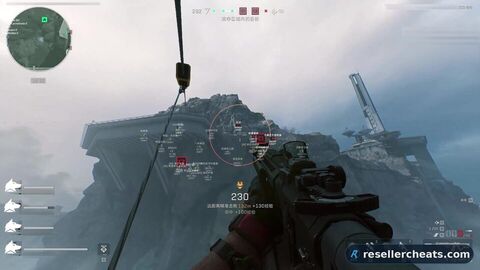
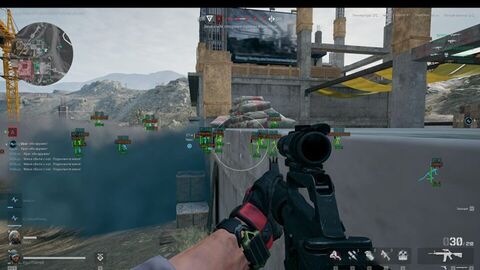
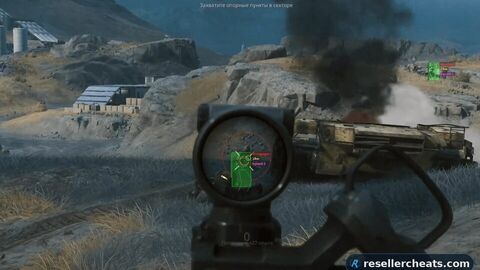
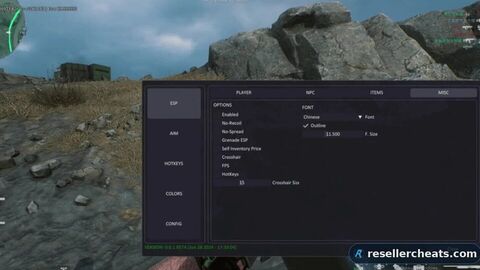
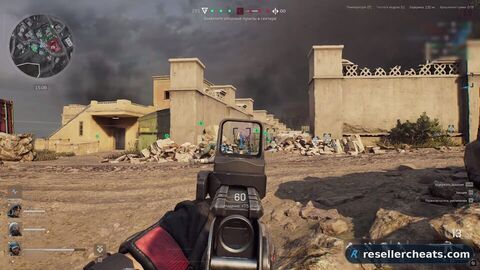
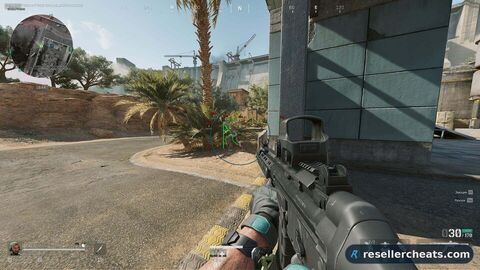
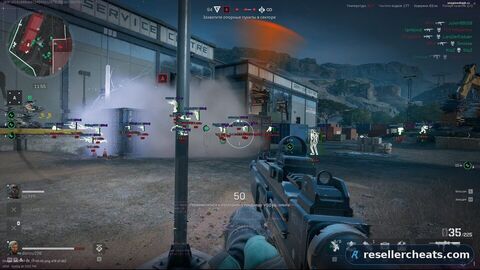
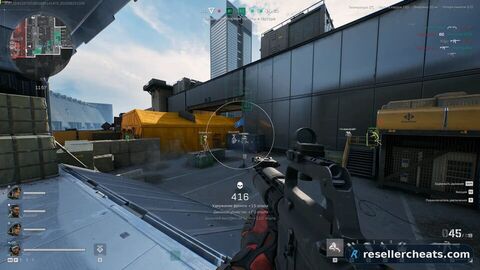
Crooked for Delta Force splits players and bots into separate tabs: each has its own name, level, health, category and a visible-only mode, with teammates marked apart. There is a radar with distance settings and a list of shown targets, and loot displays dead player boxes coloured by item quality. No spoofer, plans from one day.
System requirements
OS
Windows 10 (1903 - 23H2), Windows 11 (24H2 not working)
Only visible / show only visible playersHealth / show player healthMy team players / show teammatesName / show player namesTeam / show player teamLevel / show player levelCategory / show player categoryWeapon in hands / show the weapon in players' handsCorpse / show dead playersLine / show snaplines to playersBox type / select the type of 2D box drawn around playersDisabled / turn off the 2D box around players2D / show a 2D box around players3D / show a 3D box around playersSkeleton type: / select the type of player skeleton shownDisabled / turn off displayDefaultHealthSkeleton line thickness / set the thickness of the player skeleton shownSkeleton display distance / set the distance for showing the player skeletonDistance / set the player display distanceDisplay distance / show distances to players
Only visible / show only visible botsHealth / show bot healthName / show bot namesLevel / show bot levelCategory / show bot categoryWeapon in hands / show the weapon in bots' handsCorpse / show dead botsLine / show snaplines to botsBox type / select the type of 2D box drawn around botsDisabled / turn off the 2D box around bots2D / show a 2D box around bots3D / show a 3D box around botsSkeleton type: / select the display type of the bot skeletonDisabled / turn off displayDefaultHealthSkeleton line thickness / set the thickness of the bot skeleton shownSkeleton display distance / set the distance for showing the bot skeletonDistance / set the bot display distanceDisplay distance / show distances to bots
Enable radar / enable the radarShow players / show players on the radarShow bots / show bots on the radarDisplay distance / set the radar working distancePosition by X / set the radar position on the X axisPosition by Y / set the radar position on the Y axisSize / set the displayed radar sizeAlpha: / radar transparency
Open loot list / open the loot list (being added)Dead boxes / show the box of a dead player/botUse item quality color / use the item rarity colorUse item short name / use short names where possibleMay be added later**Quest items / show quest itemsLoot list sort type:Name / sort the list by namePrice / sort the list by priceWeapons / show weaponsWeapon accessories / show weapon attachmentsAmmo / show ammoEquipments / show equipmentMedical suppliers / show medsProvisions / show provisionsKeys: / show keysOther items / show other itemsShow item price / show the item priceLimit by price / limit by priceDisplay distance / display distance
Enable aimbot / enable the aimbotVisibility check / target visibility check for the aimbotShow snapline / show the aim lineSmoothing (more > faster) / set the aimbot aim smoothingShow fov / show the aimbot working radius, the FOV circleFov / set the aimbot working radius, the FOV circleDistance / set the aimbot working distanceBones selection / select the body part for the aimbotHead / headNeck / neckLeft elbow / left elbowRight elbow / right elbowBody / bodyPelvis / pelvisLeft knee / left kneeRight knee / right kneeHotkey selection / set the key to activate the aimbot; for the aimbot to work the assigned key must be pressed and held
Draw crosshair / show the crosshairShow vehicles / show vehiclesVehicle health / show the vehicle conditionVehicle display distance / vehicle display distanceCrosshair color / change the crosshair color
Change color if (players / bots) is visible / change the display color of visible players and botsInvisible players color / set the display color of players out of sightVisible players / bots color / set the display color of visible players and botsPlayers color / set the player display colorBots color / set the bot display colorCorpses color / set the corpse display colorMy team players color / set the team display colorKnocked players color / set the display color of knocked playersSelected items colorWeapons color / set the weapon display colorWeapon accessories color / set the display color of weapon attachmentsAmmo color / set the ammo display colorEquipments color / set the equipment display colorMedical supplies color / set the meds display colorProvisions color / set the Provisions colorKeys color / set the key display colorOther items color / set the display color of all other items
Hotkey to disable loot / set the key to turn off the loot displayMenu opening hotkey / set the key to open and close the cheat menu in game, the default key is
FAQ about CROOKED
3 subscription options available: 1 day — $5.48; 7 days — $22; 31 days — $49.
CROOKED is currently On update — the developer is adapting it to a fresh game patch. It must not be launched meanwhile, wait for the status to change.
The feature set is split into 8 sections: PLAYERS, BOTS, RADAR, LOOT, Aim, MISC, COLORS, SETTINGS. The full list of items inside each section unfolds on this page in the Features section.
Delivery is automatic: the key and the setup guide appear right after payment, no manual approval needed. If something will not launch, write to support — we reply within the day.