Cheat EXLAB for STALCRAFT

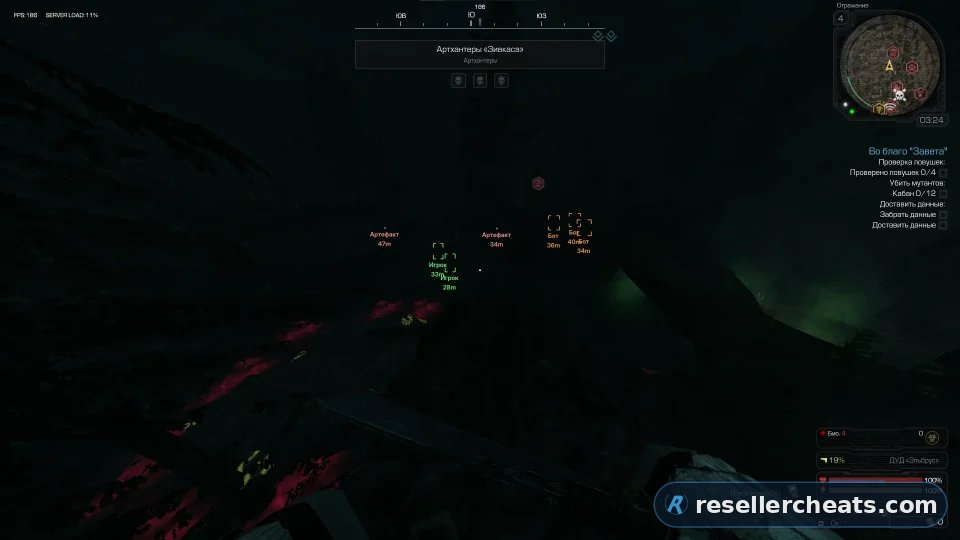
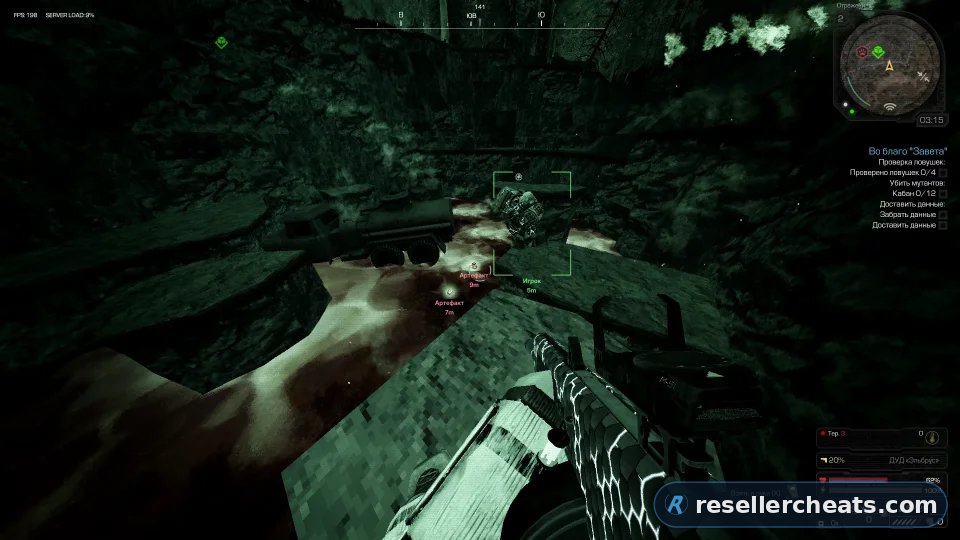
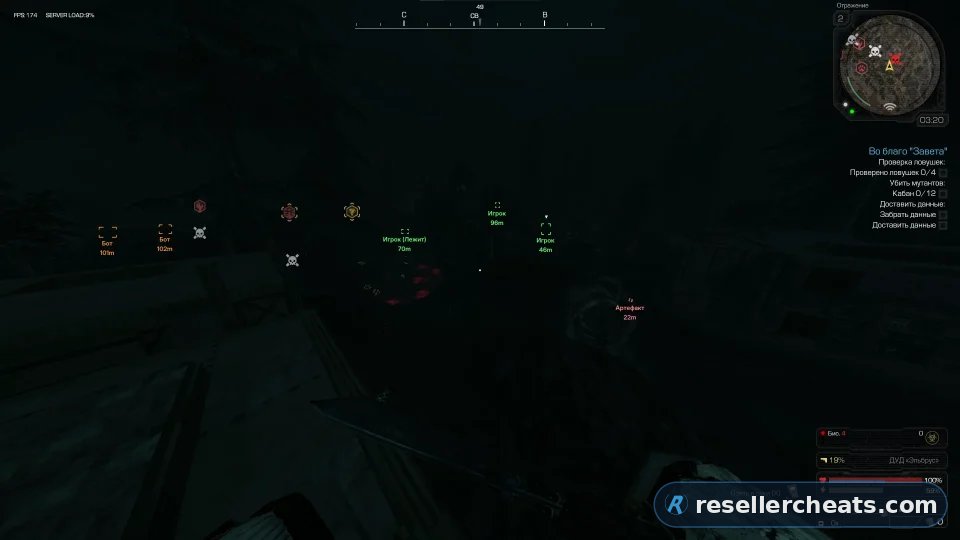
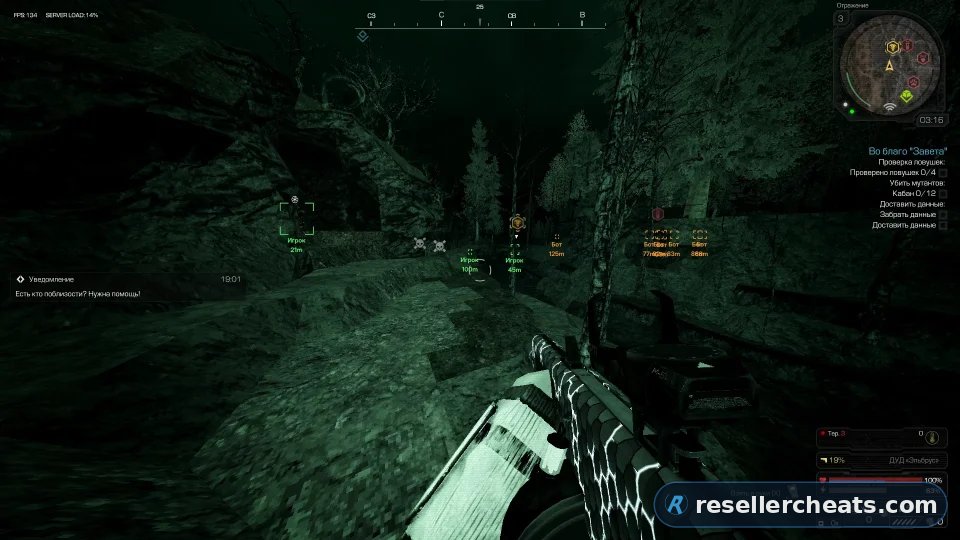
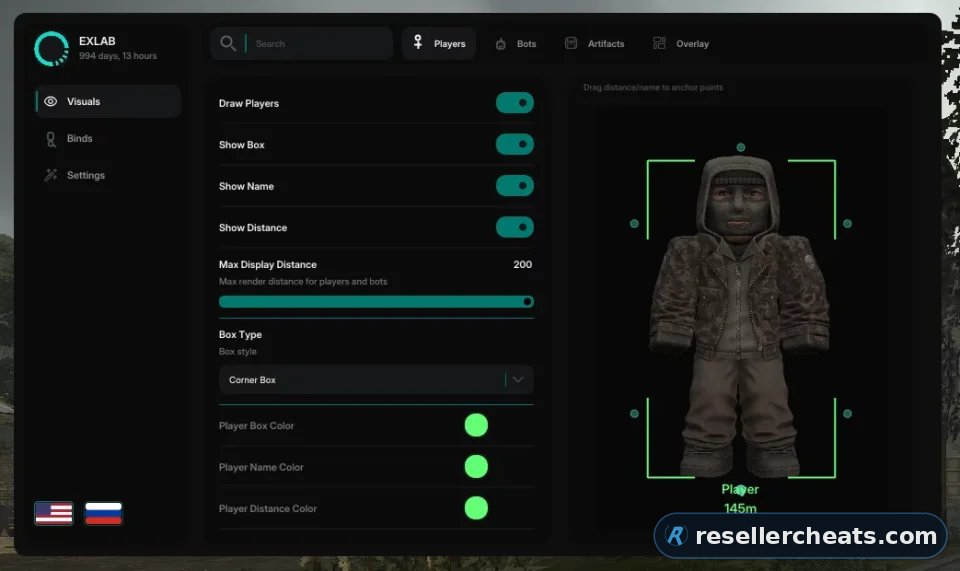
Cheat screenshot EXLAB for STALCRAFT
USE AT OWN RISK

Forget fair play — in the Zone only the strongest survive. Exlab turns you from an ordinary stalker into a professional, into the main anomaly and a deadly threat to anyone who stands in your way. You don't play by the rules, you set them.


Features of EXLAB

PLAYERS
Draw Players The main switch of ESP players
Show box Draws the outline of the box around the player
Show name Shows the "Player" label
Show distance Shows the distance to the player
Max. display distance The maximum rendering distance of ESP players
Box Type Box style: regular / angular / regular 3D / angular 3D
Player box color The color of the box outline
Player name color The color of the name label
Player distance color The color of the distance label
Player Preview Dragging the distance and name markers to anchor points on the silhouette
BOTS
Draw Bots The main switch of ESP bots
Show box Draws the outline of the box around the bot
Show name Shows the "Bot" label on ESP
Show distance Shows the distance to the bot in metres
Max. display distance The maximum rendering distance of ESP bots
Box Type Box style: regular / angular / regular 3D / angular 3D
Bot box color The color of the box outline
Bot name color The color of the name label
Bot distance color The color of the distance label
Bot Preview Dragging the distance and name markers to anchor points on the silhouette
ARTIFACTS
Draw Artifacts The main switch of ESP artifacts
Show box Draws a box or an artifact marker on the screen
Show name Shows the "Artifact" label on ESP
Show distance Shows the distance to the artifact in metres
Show radar A minimap of artifacts
Dynamic box Smoothly scales the artifact box with distance
Max. display distance The maximum rendering distance of ESP artifacts
Box Type Marker style: regular / angular / regular 3D / angular 3D / dot marker
Artifact color The color of the artifact box, name and distance
Artifact Preview Dragging the distance and name markers to anchor points
OVERLAY
Crosshair Draws a custom crosshair in the centre of the screen on top of the game
Crosshair Type Crosshair style: cross / circle / dot
Crosshair color The color of the crosshair
MENU
Menu Menu Switching
Menu (Alt) The second menu switch key
ESP
Overlay Show/hide the ESP overlay on the screen
Switch Players On/off ESP players by pressing
Switch Bots On/off ESP bots by clicking
Switch Artifacts On/off ESP artifacts by pressing
Switch the scope On/off the scope by pressing
CONFIGURATION
Save Write the settings to a file on disk
Upload Restore settings from a file
Copy Copy the config to the clipboard
Paste Paste the config from the clipboard
Reset Return all settings to default values
Unload the cheat Completely unload the cheat
other
Font size ESP The size of the overlay text
Text zoom by distance Reduces the size of ESP signatures as the distance to the target increases.
Zoom distance The distance at which the text reaches the minimum size.
Menu Language Interface Switching: English / Russian
Function Search Filtering settings by name in the upper panel

System requirements

Game client:

- Any platform


CPU:

- INTEL & AMD


OS:

- Windows 10 / 11


Window mode:

- Windowed


Built-in spoofer:

- No


USB drive required:

- Not required


Other requirements:

- Steam | Game Launcher | EGS | VK Play

Checkout

1 day $9.70

7 days $36

30 days $85

Got a question or a problem?

Support
Screenshot preview
Instant deliveryAccess arrives right after payment
Secure paymentTrusted payment methods
Regular updatesSoftware is updated for game patches
Live supportWe help with setup and reply within the day

FAQ about EXLAB

3 subscription options available: 1 day — $9.70; 7 days — $36; 30 days — $85. You can pay right on this page, and the price on the card is always current.

EXLAB is marked Use at own risk. The software works, but the developer does not give it a full mark yet — we show it as it is so you can decide for yourself.

The feature set is split into 3 sections: VISUALS, BINDS, SETTINGS. The full list of items inside each section unfolds on this page under the Features tab.

Delivery is automatic: the key and the setup guide appear right after payment, no manual approval needed. If something will not launch, write to support — we reply within the day.

Useful cheat guides

No marketing talk: how private software works, what gets you banned and what to look at before buying.