Cheat MEDUSA LITE for Escape From Tarkov

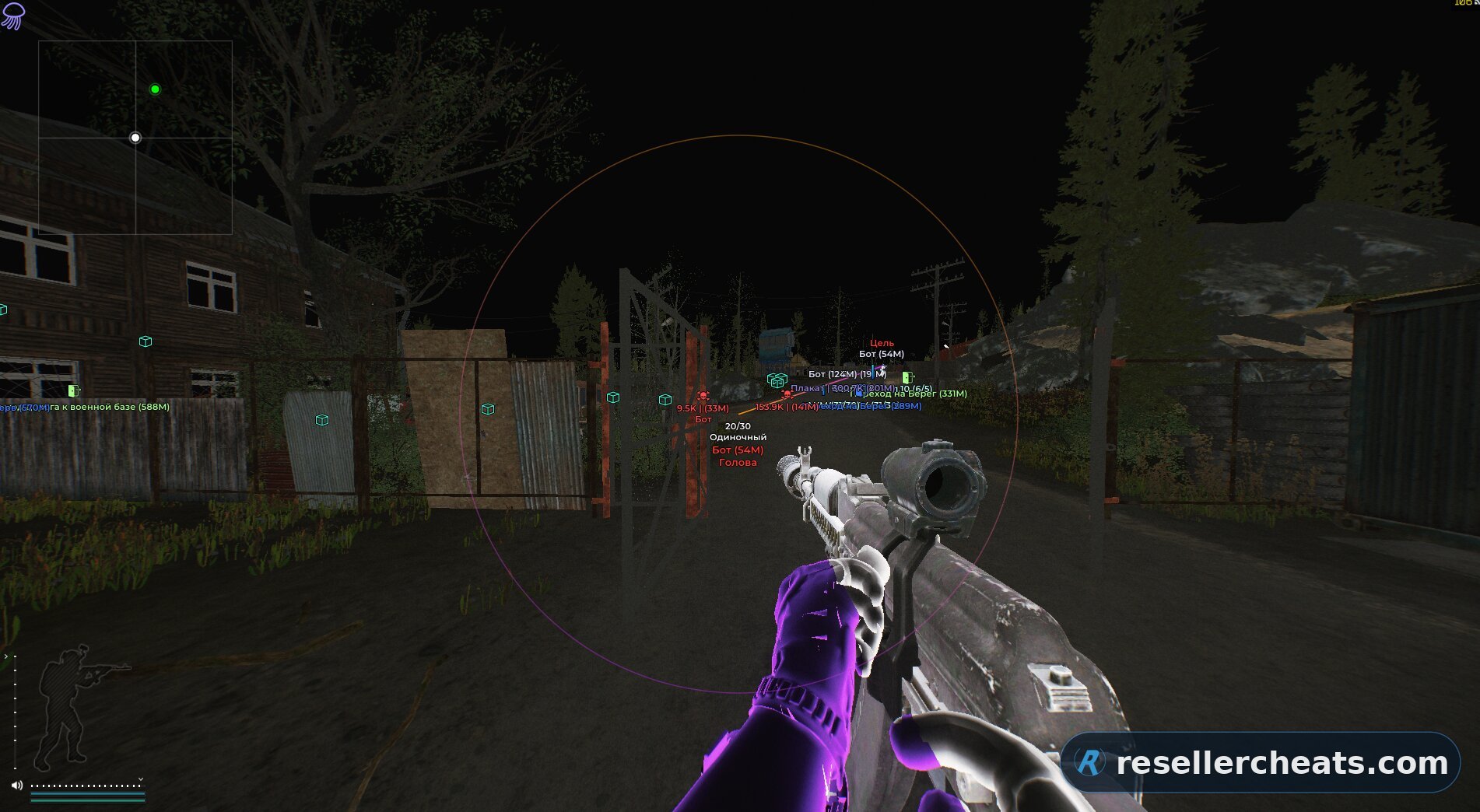
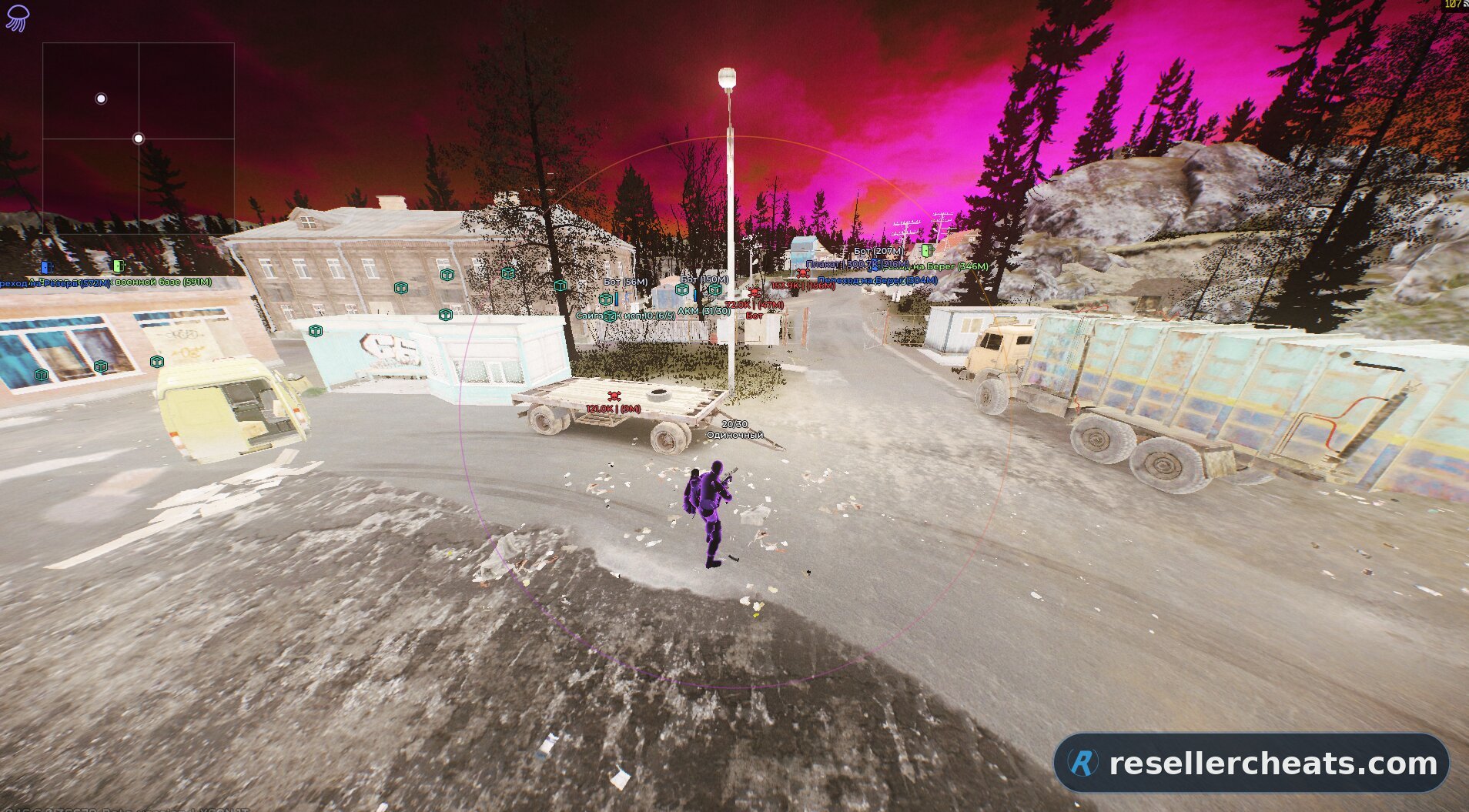
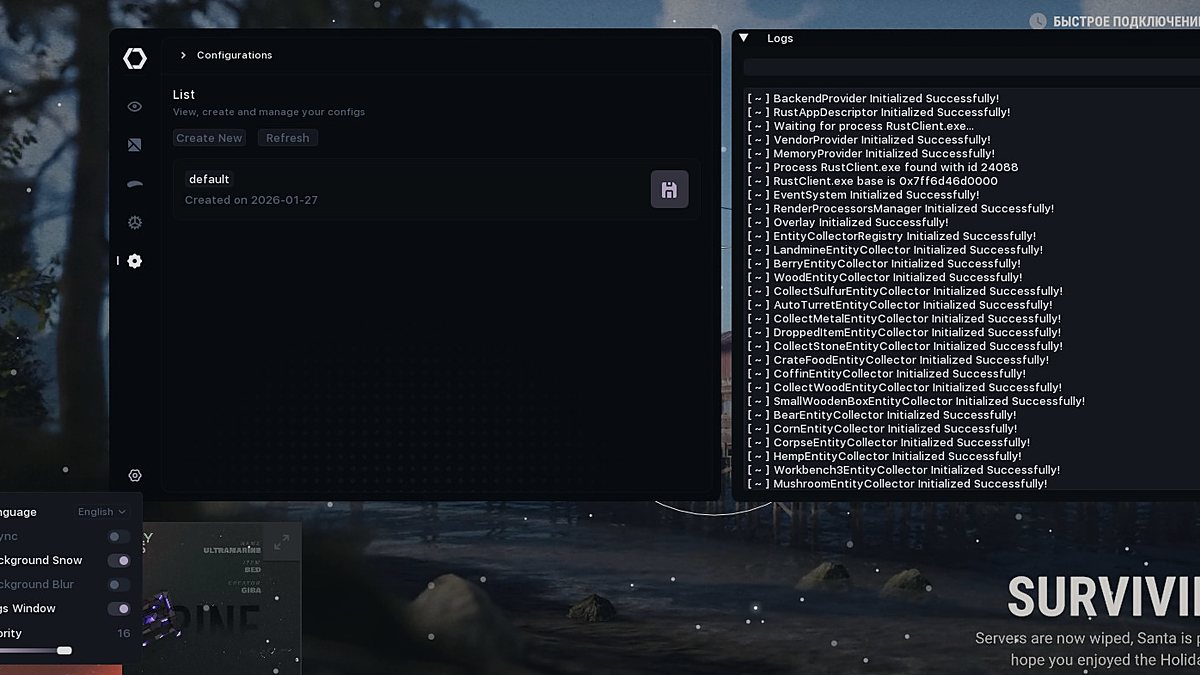
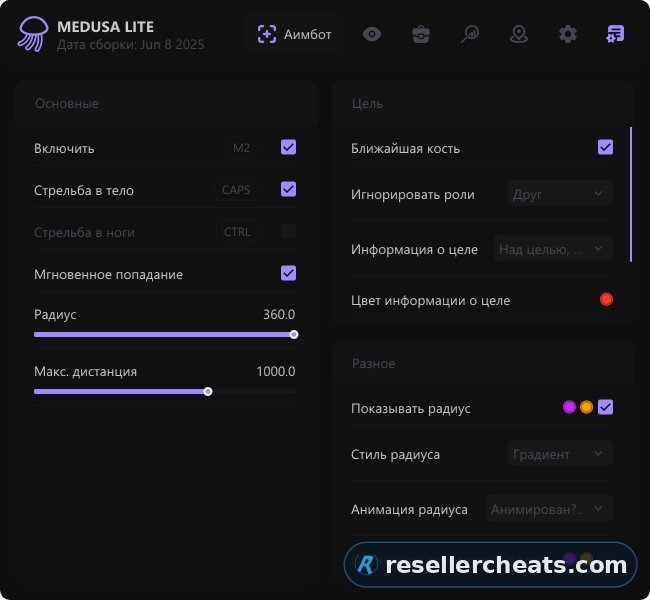
Cheat screenshot MEDUSA LITE for Escape From Tarkov
UNDETECTED Last detection: 29.01.2025 Last check: 07.08.2026

MEDUSA Lite for Escape from Tarkov – your key to domination. A simple interface and stable performance will give you an advantage in any raid. ESP and an accurate aimbot help you survive and win as unnoticeably as possible. The perfect balance of power and stealth.


Features of MEDUSA LITE

GENERAL
Price based color Colors items based on price.
Shorten item names Shortens item names so the screen is not overloaded with text.
Ignore battle mode for silent loot target Does not hide the silent loot target in battle mode.
Enable Enables loot ESP.
Price source Selects the item price source.
General categories Lets you choose main item groups.
Quest items Highlights quest items separately.
Only active quests Shows only items for active quests.
ITEMS
Show Enables item display.
Show list of items Opens the list of found items.
Transparent window Makes the item list window transparent.
Transparency Adjusts window transparency.
Info Shows item price and distance.
Use general categories Applies general categories to items.
Price filter Hides cheap or unnecessary items.
Hide in scope Hides loot while using a scope.
Hide in battle mode Hides loot during combat.
Show only when hovered Shows information only when hovered.
Max distance Limits item display range.
CORPSES
Show Enables corpse display.
Use ESP role color for corpses Colors corpses by role.
Info Shows corpse price and distance.
Draw style Selects text or icon display format.
Player info Shows the corpse owner’s name and faction.
Show info only when hovered Hides details until hovered.
Use general categories Applies general categories to corpse contents.
Price filter Filters contents by value.
Hide in scope Hides corpses while using a scope.
Hide in battle mode Hides corpses during combat.
Show only when hovered Shows corpses only when hovered.
Max distance Limits corpse display range.
CONTAINERS
Show Enables container display.
Info Shows container price and distance.
Draw style Selects text or icon display format.
Container types Lets you choose which container types are displayed.
Show info only when hovered Shows container data only when hovered.
Hide opened containers Hides containers that have already been opened.
Use general categories Applies general categories to containers.
Price filter Filters containers by value.
Hide in scope Hides containers while using a scope.
Hide in battle mode Hides containers during combat.
Show only when hovered Shows containers only when hovered.
Max distance Limits container display range.
COLORS
Price lower 500K Color for items worth up to 500K.
Price lower 250K Color for items worth up to 250K.
Price lower 100K Color for items worth up to 100K.
Weapon Separate color for weapons.
Ammo Separate color for ammo.
Magazines Separate color for magazines.
Sights Separate color for sights.
Suppressors Separate color for suppressors.
Tactical devices Separate color for tactical devices.
Weapon parts Separate color for weapon parts.
Armor Separate color for armor.
Armor plates Separate color for armor plates.
Gear Separate color for gear.
Repair Separate color for repair items.
Keys Separate color for keys.
Barter Separate color for barter items.
Containers Separate color for containers.
Maps Separate color for maps.
Provisions Separate color for food and provisions.
Clothing Separate color for clothing.
Medicals Separate color for medical items.
Currency Separate color for currency.
Cosmetics Separate color for cosmetic items.
Ammo boxes Separate color for ammo boxes.
Price lower 1KK Color for items worth up to 1KK.
GENERAL
Show only active Shows only active quests.
Show completed conditions Shows completed quest requirements.
Max render distance Limits quest marker display range.
Hide in scope Hides quest markers while using a scope.
Show text only when hovered Shows quest marker text only when hovered.
Hide in battle mode Hides quest markers during combat.
Enable Enables the quest helper.
FILTER
Switch all Enables or disables all quests at once.
Search Lets you find a specific quest.
Type Filters quests by type.
Quest list Shows the quest list based on selected filters.
BOTS
Look direction Shows where the bot is looking.
Enable Enables bot ESP.
Only visible Shows only visible bots.
Fade visibility Smoothly fades bots at distance.
Distance fade start Sets the distance where the fade effect begins.
Arrows Shows direction arrows for bots.
Sound ESP Shows bot sound activity.
Box color Changes the bot box color.
Filled box Adds box fill.
Skeleton Shows the bot model skeleton.
Look direction style Changes the direction line style.
Direction line thickness Adjusts the look direction line thickness.
Show chams Enables bot model highlighting.
Chams style Changes the highlight style.
Chams effect power Adjusts highlight strength.
Chams intensity Controls highlight brightness.
Health bar Shows bot health.
Health bar style Changes the health bar style.
Info Shows bot data.
Inventory Shows the bot inventory.
Lines Draws lines to bots.
Max distance Limits bot ESP display range.
Box style Changes the box style around the bot.
PLAYERS
Enable Enables player ESP.
Only visible Shows only players in direct line of sight.
Ignore friends Hides friends from visuals.
Fade visibility Smoothly fades objects at distance.
Distance fade start Sets the distance where the fade effect begins.
Arrows Shows direction arrows for players outside the center of the screen.
Arrows visibility Controls when arrows are displayed.
Max arrows distance Limits arrow display range.
Sound ESP Shows sound activity near a player.
Box style Changes the box style around the player.
Box color Changes the box color.
Filled box Adds box fill.
Skeleton Shows the player model skeleton.
Look direction Shows where the player is looking.
Look direction style Changes the direction line style.
Direction line thickness Adjusts the look direction line thickness.
Weapon Shows the player’s weapon.
Inventory Shows inventory contents.
Total value Shows the total inventory value.
Min inventory value Filters inventory display by minimum value.
Lines Draws lines to players.
Max distance Limits player ESP display range.
Secondary chams color Changes the secondary chams color.
Health bar Shows player health.
Health bar style Changes the health bar style.
Info Shows player data: name, distance, faction, team, and other parameters.
Show chams Enables model highlighting.
Chams style Changes the model highlight style.
Other chams style Adds an alternative highlight style.
Chams effect power Adjusts the strength of the highlight effect.
Chams intensity Controls highlight brightness and visibility.
Chams color Changes the main chams color.
Info color Changes the information text color.
Player color Separate color for regular players.
Scav color Separate color for Scavs.
Streamer color Separate color for streamers.
Friend color Separate color for friends.
Show scav nickname Displays the Scav nickname.
OBJECTS
Max render distance Limits grenade display range.
Show stationary weapons Displays stationary weapons.
Hide in battle mode Hides extra objects during combat.
Danger zones Shows mines, sniper zones, and other dangerous areas.
APC Shows the APC and related markers.
Text on hover Shows object labels only when hovered.
Show grenades Displays grenades on the map.
Grenades Selects grenade types to display: frag, flash, smoke.
Grenades style Changes the grenade display format.
Grenades settings Allows showing distance, timer, trajectory, and radius.
Grenades color Changes grenade display color.
Trajectory style Changes grenade trajectory appearance.
Trajectory animation Switches between static and animated trajectory.
Radius style Changes grenade radius appearance.
Exits Shows extraction points.
MAP AND RADAR
Map info Shows data for the current map.
Show Selects which data is shown on the map: players, PMCs, friends, Scavs, streamers, bots, and other roles.
Transparent window Makes the map window less intrusive.
Radar Enables radar.
Window style Changes the radar window shape and appearance.
Show local player chams Enables highlighting for your own model.
Chams style Changes the local player chams style.
Other chams style Lets you choose an alternative highlight style.
Chams effect power Adjusts the effect strength.
Chams intensity Controls effect brightness.
Weapon info Shows weapon data, including ammo count and fire mode.
Crosshair Enables a custom crosshair.
MOVEMENT
Speed hack Increases character movement speed.
Fly hack Allows movement through the air.
Fly up key Assigns the key for flying upward.
Fly down key Assigns the key for flying downward.
Teleport to screen center Moves the player to the point aimed at by the center of the screen.
MISC
Auto door opening Automatically opens nearby doors.
Auto quest complete Automatically completes quests.
Unlock locked doors Allows opening locked doors.
LOCAL PLAYER STATE
God mode Disables incoming damage.
No fall damage Removes fall damage.
Perfect physical condition Keeps the character in perfect condition.
VISUALS
FOV animation Switches between static and animated FOV style.
Show filled FOV Adds fill inside the FOV area.
Show line to target Draws a line from the crosshair to the selected target.
Line style Changes the line style to the target.
FOV color Changes the FOV color.
Line to target color Changes the target line color.
Show FOV Displays the aimbot FOV area.
FOV style Changes the FOV appearance.
TARGET SETTINGS
Always headshot for bots Automatically aims at the head when targeting bots.
Force body aim Quickly switches aiming to the body with a hotkey.
Force legs aim Quickly switches aiming to the legs with a hotkey.
Target lock Locks onto the selected target for more stable aiming.
Nearest bone Automatically selects the nearest available model bone.
Bone Lets you choose a specific bone for aiming.
Aim priority Chooses how the target is selected, for example nearest to crosshair.
Ignore roles Excludes selected roles from aiming.
GENERAL
Enable Activates the aimbot with the assigned key.
Aim mode Lets you choose how the aimbot works.
Only visible Targets only enemies in direct line of sight.
FOV Adjusts the target capture area around the crosshair.
Max distance Limits the working range of the aimbot.
Shoot at body Forces aiming at the body.
Shoot at legs Forces aiming at the legs.
Instant hit Speeds up hit registration on the target.
CAMERA
Radius Adjusts the camera effect radius.
Change aspect ratio Allows changing the aspect ratio.
No screen effects Removes visual effects that block visibility.
No hit reaction Disables camera reaction when taking hits.
Unlimited head rotation Removes the head rotation limit.
Light changer Allows lighting adjustment.
Thermal vision Enables thermal vision.
Third person Enables third-person view.
Third-person radius value Adjusts third-person camera distance.
Zoom hack Allows changing zoom.
Ignore collisions Allows the camera to pass through obstacles.
Thermal vision style Switches thermal vision style.
Zoom Adjusts zoom level.
Change FOV Allows changing field of view.
Night vision Enables night vision.
No visor Removes visor darkness and effects.
Free camera Enables free camera.
Camera movement speed Adjusts camera movement speed.
Camera rotation speed Adjusts camera rotation speed.
LOOT & INVENTORY
Loot line style Changes the line style to the item.
Loot line animation Adds a static or animated line.
Silent loot Allows picking up items without normal interaction.
Remove delay to open containers Removes the delay when opening containers.
Remove delay to pickup item Removes the delay when picking up items.
Remove delay to plant item Removes the delay when placing items.
Remove inventory blur effect Disables the blur effect in inventory.
Fast mag load/unload Speeds up magazine loading and unloading.
MOVEMENT
Instant door opening Removes the delay when opening doors.
Bunny hop Allows repeated jumps without losing tempo.
Run and shoot Allows shooting while running.
Infinite stamina Removes stamina drain.
Fast duck Speeds up crouching.
Speed hack x1.5-1.7 Increases movement speed.
Max speed of movement Lets you set the upper movement speed limit.
WEAPON
Recoil compensation Reduces weapon recoil.
No malfunctions Disables weapon malfunctions.
No recoil and no spread Removes recoil and spread.
No sway Reduces weapon sway.
Instant ADS Speeds up aiming down sights.
ENVIRONMENT
Extra performance Optimizes environment visual load.
Disable grass Removes grass for better visibility.
Disable shadows Removes shadows.
Time changer Allows changing raid time.
Clock Shows or adjusts in-game time.
Change sky color Allows sky color adjustment.
Sky style Changes the sky color style.
Sky intensity Adjusts sky effect strength.
Change fog intensity Adjusts fog density.
Change rain intensity Adjusts rain strength.
Change cloud density Allows changing cloudiness.
OTHER
Anti-AFK Prevents automatic idle kick.
Auto captcha Helps complete captcha automatically.
Change Session ID Changes the session identifier.
Streamer mode Hides extra information for recording or streaming.
K/D DROPPER
Enable Activates K/D Dropper.
Max raids Limits the number of raids.
Max reconnect attempts Sets the reconnect attempt limit.
Max search time Limits match search time.
GENERAL
Menu key Assigns the key for opening the menu.
Panic key Assigns the key for quickly disabling functions.
Battle mode key Assigns the battle mode key.
Main color Changes the main interface color.
Color style Changes the interface color style.
Theme color Switches the interface theme.
DPI Scale Changes the interface scale.
Language Switches the menu language.
Watermark Selects the watermark style.
Save Saves interface settings.
Load Loads saved interface settings.
GENERAL
Update names Updates item names.
GENERAL
Reset settings Restores default settings.
Export section Exports the selected settings section.
Export all Exports all settings.
Import Imports settings.
List Shows saved settings profiles.
Name Field for naming a new configuration.
Add Creates a new configuration.
Save Saves current settings.
Load Loads the selected configuration.
Rename Renames the profile.
Delete Deletes the selected configuration.
Default AutoLoad Sets the configuration for automatic loading.
Copy to clipboard Copies the configuration to clipboard.
Load from clipboard Imports a configuration from clipboard.
GENERAL
Enable Activates the item filter.
Show filtered only Leaves only selected items on the screen.
Use one settings for all items Applies the same parameters to all items.
Remove all items from filter Clears every item from the filter.
Color Changes the filter display color.
Font size Changes filter text size.
LIST
Category Filters the list by selected category.
Price source type Selects the price source for sorting and filtering.
Show full names of items Displays full item names.
Show only selected Shows only already selected entries.
Search Lets you find an item by name.
Hint Shows a hint when hovered.
Name Column with item name.
Price Column with item value.
Show items from the current raid Shows items found in the current raid.
KEYBIND LIST
Keybind list Shows assigned hotkeys.
Only active keys Shows only enabled keybinds.
Transparent window Makes the hotkey window less noticeable.

System requirements

Game client:

- BSG Launcher


CPU:

- Xeon and Fx processors with Intel and Amd support


OS:

- Windows 10 (all versions), Windows 11 (21h2-23h2)


Window mode:

- Windowed / Borderless


Built-in spoofer:

- Yes


USB drive required:

- No


Other requirements:

- Streaming bypass: present (OBS + Discord)

Checkout

1 day $6.06

3 days $15

7 days $30

30 days $49

Got a question or a problem?

Support
Screenshot preview
Instant deliveryAccess arrives right after payment
Secure paymentTrusted payment methods
Regular updatesSoftware is updated for game patches
Live supportWe help with setup and reply within the day

FAQ about MEDUSA LITE

4 subscription options available: 1 day — $6.06; 3 days — $15; 7 days — $30; 30 days — $49. You can pay right on this page, and the price on the card is always current.

MEDUSA LITE is currently Undetected — at the last check the anti-cheat did not see it. We review the status every day, so the card always shows the real picture. Last detection: 29.01.2025.

The feature set is split into 11 sections: LOOT, QUESTS, VISUALS, PVE, AIMBOT, MISC, SETTINGS, GAME ITEMS, CONFIGURATION, FILTER, INTERFACE. The full list of items inside each section unfolds on this page under the Features tab.

Delivery is automatic: the key and the setup guide appear right after payment, no manual approval needed. If something will not launch, write to support — we reply within the day.

Other cheats for Escape From Tarkov

All cheats

Useful cheat guides

No marketing talk: how private software works, what gets you banned and what to look at before buying.