Cheat MEDUSA RAGE for Escape From Tarkov

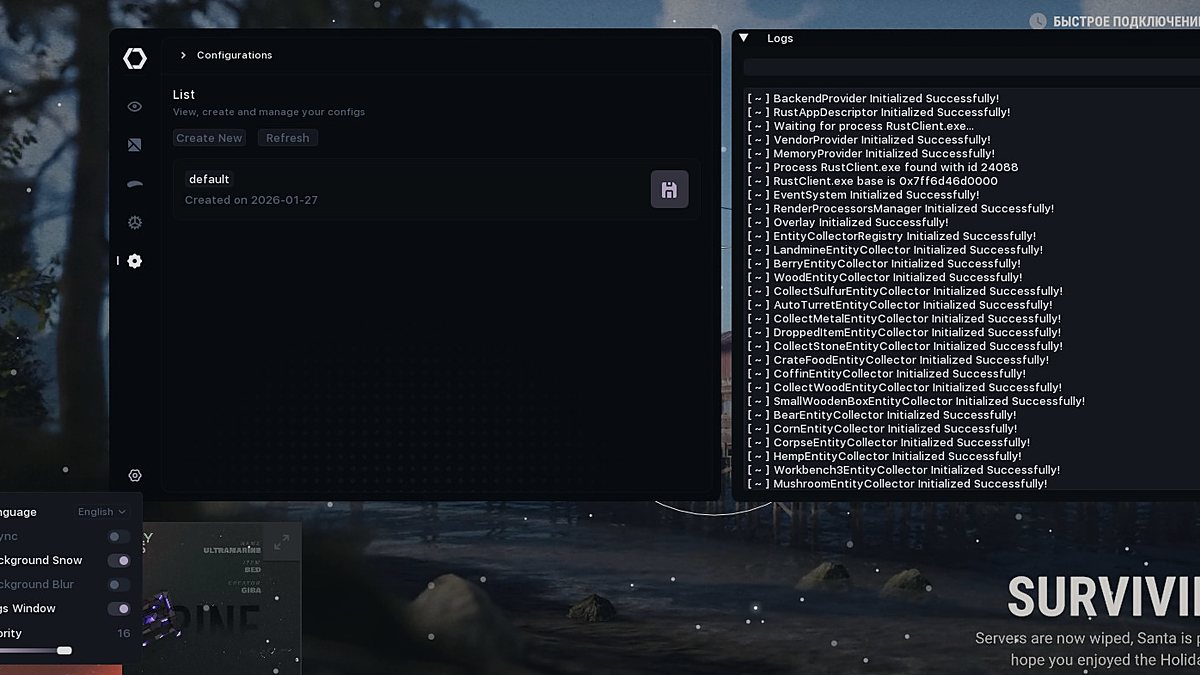
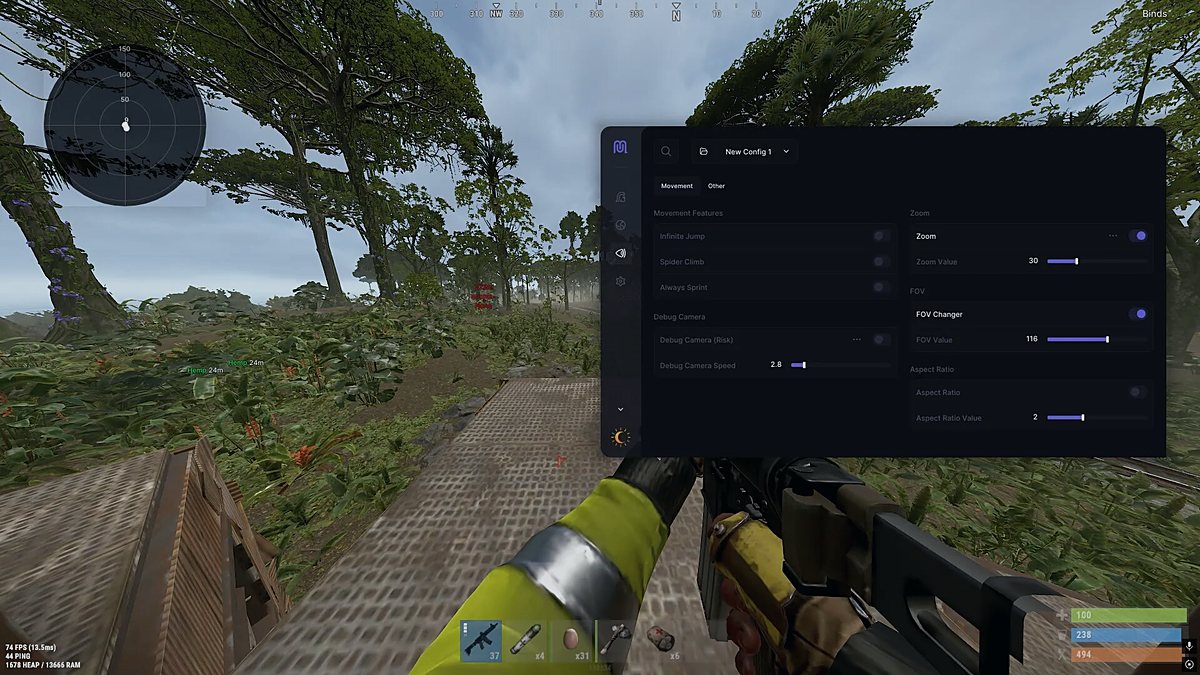
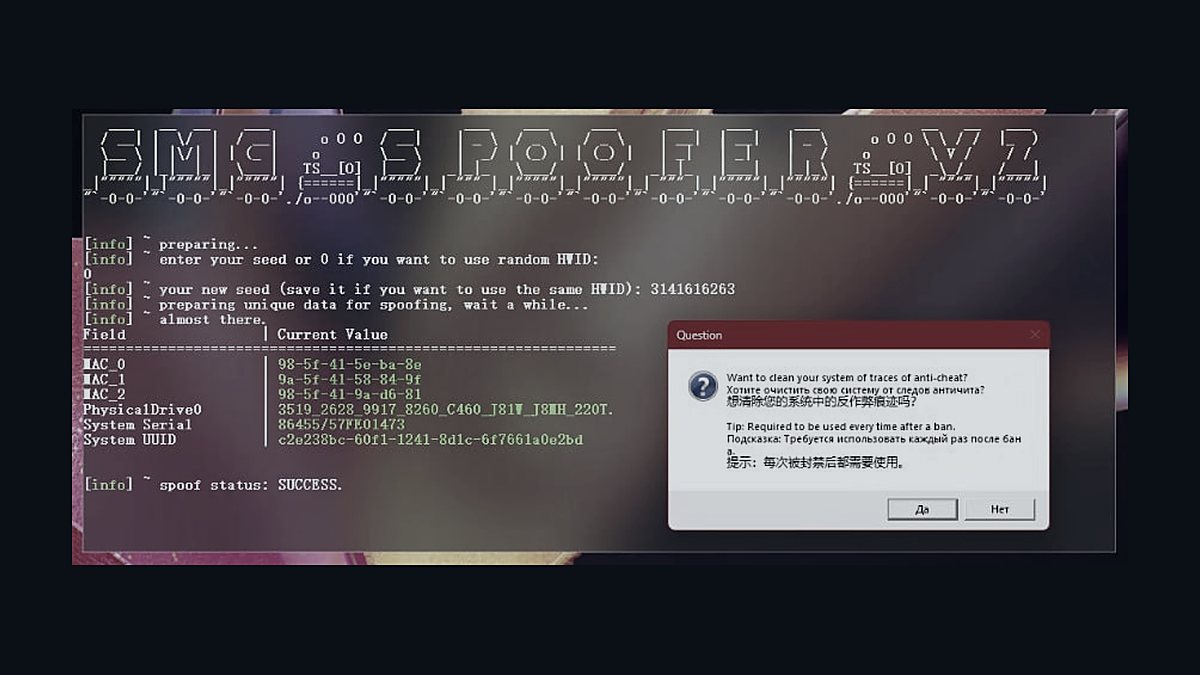
Cheat screenshot MEDUSA RAGE for Escape From Tarkov
UNDETECTED Last detection: 29.01.2025 Last check: 07.08.2026

MEDUSA RAGE is a private cheat for Escape From Tarkov that opens up new possibilities and is updated for every game patch. The aimbot gives you superiority in combat. ESP visualizes opponents' health, weapons and inventory. The loot system makes finding valuable items easier. And much more!


Features of MEDUSA RAGE

MAIN
Enable aimbot Activates the aiming module and all related aim settings.
Silent aim Hits the target without visible crosshair movement.
Vector aim Uses vector-based aiming for cleaner and more stable target tracking.
Visible targets only Makes the aimbot work only on targets with direct line of sight.
Silent melee Allows melee hits with less obvious interaction.
Aim radius Adjusts the area where the aimbot can lock onto a target.
Max distance Limits the working range of the aimbot.
TARGET SELECTION
Ignore bots Disables targeting on bots.
Ignore followers Excludes boss guards from target selection.
Always headshot bots Forces head aiming when targeting bots.
Ignore friends Prevents the aimbot from locking onto players marked as friends.
Nearest bone Automatically selects the closest available bone on the target model.
Bone selection Lets you manually choose the aim point.
Force body aim Moves aim to the body for a steadier and less sharp pattern.
Force leg aim Moves aim to the legs for a less standard hit pattern.
Current target info Shows data about the target currently selected by the aimbot.
Info above target Displays target data directly above the target model.
Ignore player scavs Excludes player scavs from target priority.
Info in screen center Shows target data in the center of the screen.
Ignore bosses Prevents the aimbot from locking onto bosses.
Target lock Locks onto the selected target for more stable tracking.
Head Aims at the head.
Pelvis Aims at the lower body point.
Neck Aims at the neck area.
Closest to crosshair priority Selects the target closest to the center of your aim.
Ignore PMCs Excludes PMCs from aimbot targeting.
Ignore streamers Prevents streamers from being selected as targets.
VISUALIZATION
Show aimbot radius Displays the FOV area where targets can be captured.
Radius color Changes the color of the aimbot radius.
Radius style Switches the radius between solid and gradient styles.
Radius animation Makes the radius static or animated.
Filled radius Adds fill inside the FOV area.
Filled radius color Changes the color of the filled FOV area.
Filled radius style Switches the fill between solid and gradient styles.
Filled radius animation Makes the filled radius static or animated.
Line to target Draws a line from the screen center to the selected target.
Target line color Changes the color of the target line.
Target line style Switches the target line between solid and gradient styles.
GRENADES
Trajectory style Switches the trajectory between solid and gradient styles.
Magic grenade Improves grenade work against selected targets.
Update delay Controls how often grenade calculations update.
Show trajectory Displays the grenade flight path.
Trajectory color Changes the color of the trajectory line.
Trajectory animation Makes the trajectory static or animated.
MAIN
Enable visuals Enables ESP for players and bots.
Visible targets only Shows only targets currently visible to you.
Show on radar Adds players and bots to the radar.
Ignore friends Hides friends from visuals or excludes them from selected ESP elements.
Visibility fade Smoothly reduces ESP visibility over distance.
Fade start distance Sets the distance where ESP fading begins.
BOXES
ESP boxes Draws boxes around players and bots.
Corners with outline Shows corner boxes with an added outline.
Corners Shows only corner-style boxes.
Box with outline Displays a full box with an outline for better readability.
Box Displays a classic rectangular box.
Box color Changes the ESP box color.
Filled boxes Adds fill inside the box.
Fill color Changes the filled box color.
SKELETON AND VIEW DIRECTION
Direction line thickness Adjusts the thickness of the view direction line.
Skeleton Shows the skeleton of player or bot models.
Skeleton color Changes the skeleton line color.
View direction Shows where the target is looking.
View direction color Changes the view direction line color.
Direction style Switches the direction line between solid and gradient styles.
INFO
Max draw distance Limits ESP rendering distance.
Inventory value Calculates the total value of the target’s loot.
Streamer color Marks streamers with a separate color.
Friend color Marks friends with a separate color.
Bot color Sets a separate color for bots.
Boss color Marks bosses with a separate color.
Item in hands Shows the weapon or item currently held by the target.
Distance Shows the distance to the target.
Guard color Marks boss guards with a separate color.
Inventory Displays the target inventory.
Minimum inventory value Filters inventory display by minimum value.
Player color Sets a separate color for players.
Scav color Sets a separate color for scavs.
Health bar Shows the target’s current health.
Health bar style Switches the health bar between solid and gradient styles.
Name Shows the target name.
Faction Shows the target faction.
Lines to targets Draws lines to selected targets.
CHAMS
Intensity Adjusts the brightness and density of chams.
Main chams color Sets the primary chams color.
Secondary chams color Sets the second color for layered styles.
Glow Adds a bright glowing effect to the model.
Latex Adds a dense, smooth highlight style.
X-ray Adds an X-ray effect for stronger target readability.
Amogus glow Enables a separate decorative glow style.
Deep glow Adds a heavier and more noticeable glow effect.
Light glow Makes the highlight softer and less aggressive.
Dark glow Uses a muted dark glow effect.
Solid glow Uses a clean single-color glow without complex transitions.
Effect power Controls the strength of the visual effect.
Chams Highlights players and bots through models and environment.
Glass glow Creates a transparent glass-like glow.
Wireframe glow Highlights the model with a wireframe-style glow.
Custom style Allows a custom chams style.
MAP INFO AND RADAR
Scav count Shows the number of scavs.
Bot count Shows the number of bots.
Show distance Displays distance to targets.
View direction line Shows target view direction.
Boss count Shows the number of bosses.
Transparent window Makes the map window less intrusive.
Radar Enables a separate radar for targets.
Radar window style Changes the look of the radar window.
Local player dot Shows your position on the radar.
Local dot size Adjusts the size of your own radar dot.
Enemy dot size Changes the size of enemy dots.
Guard count Shows the number of boss guards.
Window color Changes the radar window color.
PMC count Shows the number of PMCs.
Map info window Shows a summary of the current map and raid.
Total players count Shows the total number of players.
Grid lines Adds a grid to the radar.
Line thickness Adjusts grid and line thickness.
Max distance Limits radar working range.
LOCAL PLAYER
Effect power Controls highlight strength.
Intensity Adjusts effect brightness.
Local player chams Highlights your own model.
Weapon chams Adds a visual effect to your weapon.
Custom style Enables a custom chams style.
X-ray Adds an X-ray effect.
Amogus glow Enables a separate decorative glow style.
Light glow Adds a soft highlight.
Dark glow Uses a dark glow effect.
Solid glow Adds a clean single-color glow.
Wireframe glow Highlights the model in wireframe style.
Main color Sets the primary effect color.
Secondary color Sets the second effect color.
WEAPON INFO
Weapon info Shows data about the current weapon.
Ammo count Displays remaining ammunition.
BTR
Text format Shows the BTR as a text label.
BTR color Changes the BTR marker color.
Show BTR Displays the BTR on the map.
Icon format Shows the BTR as an icon.
Text and icon format Shows the BTR with both text and icon.
Hover text Shows BTR information only when aiming at it.
Hide in battle mode Hides the BTR marker during combat.
MOUNTED WEAPONS
Show mounted weapons Displays mounted guns and fixed weapon positions.
Mounted weapon color Changes marker color.
Max display distance Limits mounted weapon display range.
GRENADES
Smoke grenades Shows smoke grenades separately.
Text format Shows grenades as text labels.
Icon format Shows grenades as icons.
Fragmentation grenades Shows frag grenades separately.
Flash grenades Shows flashbangs separately.
Grenade radius Displays the danger radius.
Trajectory style Switches trajectory between solid and gradient styles.
Grenade color Changes grenade marker color.
Grenade timer Shows time until detonation.
Grenade trajectory Displays the grenade flight path.
Grenade sphere Shows the area around the grenade.
Grenade distance Displays distance to the grenade.
Trajectory animation Makes the trajectory static or animated.
Radius setting Adjusts the displayed grenade radius.
Max display distance Limits grenade display range.
Show grenades Displays grenades in the world.
Text and icon format Shows grenades with both text and icon.
BULLET TRACES AND HITS
Line style Switches traces between solid and gradient styles.
Bullet traces Shows bullet trajectories.
Bullet trace color Changes trace color.
Trajectory animation Adds static or animated trajectory behavior.
Fade delay Sets how long traces stay visible.
Enemy hit info Shows information about hits on enemies.
Hit log Keeps a log of hits on targets.
Hit point Marks the exact hit position.
Hit marker Adds a visual hit marker.
Hit sound Plays a sound confirmation on hit.
TRIPWIRES
Ignore exploded tripwires Hides tripwires that have already triggered.
Show tripwires Displays placed tripwires.
Tripwire color Changes tripwire marker color.
Grenade type Shows which grenade is attached to the tripwire.
Max draw distance Limits tripwire rendering distance.
Tripwire lines Shows the trigger line.
EXTRACTS AND TRANSITIONS
Show extracts Displays raid extraction points.
Show transitions Displays transitions between areas.
Extract and transition color Changes marker color.
Text format Shows extracts or transitions as text.
Icon format Shows extracts or transitions as icons.
Text and icon format Shows extracts or transitions with both text and icon.
Hover text Shows details only when aiming at the marker.
Hide in battle mode Hides extracts and transitions during combat.
DANGER ZONES
Mines Marks minefield zones.
Snipers Marks sniper danger zones.
Text format Shows danger zones as text.
Hide in battle mode Hides danger zone markers during combat.
Max draw distance Limits danger zone display range.
Icon format Shows danger zones as icons.
Text and icon format Shows danger zones with both text and icon.
Hover text Shows details only when aiming at the marker.
Show danger zones Displays areas where you can die without direct enemy contact.
MAIN
Special equipment category Shows rare technical items.
Repair category Shows repair items.
Provision category Shows food and drinks.
Price source Selects the database used for item prices.
Clothing category Shows clothing and gear.
Medical category Shows medical items.
Currency category Shows money and currencies.
Quest items Displays items connected to quests.
Active quest items only Shows only items needed for currently active quests.
Magazine category Shows weapon magazines.
Scope category Shows optics and sights.
Suppressor category Shows suppressors.
Tactical device category Shows flashlights, lasers, and other tactical modules.
Weapon part category Shows weapon parts and modifications.
Key category Shows keys.
Update item names Updates item names in the database.
Enable loot Enables item display in raid.
Barter category Shows barter items.
Container category Shows containers.
Map category Shows maps and related items.
Cosmetic category Shows cosmetic items.
Short item names Shortens item names so loot labels do not flood the screen.
Ignore battle mode for silent loot Keeps silent loot active even when battle mode is enabled.
Weapon category Shows weapons.
Ammo category Shows ammunition.
Ammo box category Shows ammo boxes and packs.
ITEMS
Item list Shows a separate list of found loot.
Show items Displays loot on the map.
Item color Changes item marker color.
Item price Shows item value.
Item distance Shows distance to loot.
Shared categories Uses the selected global loot categories.
Transparent window Makes the list window less intrusive.
Window transparency Adjusts window transparency level.
Minimum price Sets the minimum item value required for display.
Hide while aiming Hides loot markers when aiming down sights.
Hide in battle mode Hides loot during combat.
Hover only Shows item data only when aiming at it.
Max draw distance Limits item rendering distance.
Price filter Hides cheap items.
CONTAINERS
Ground cache Shows ground caches.
Show containers Displays loot containers.
Text format Shows the container as text.
Icon format Shows the container as an icon.
Jacket Shows jackets.
Safe Shows safes.
Bank safe Shows bank safes.
Cash register Shows cash registers.
Weapon box Shows weapon boxes.
Grenade box Shows grenade boxes.
Ammo box Shows ammo boxes.
Medical bag Shows medical bags.
Medical case Shows medical cases.
Sports bag Shows sports bags.
Wooden crate Shows wooden crates.
Drawer Shows drawers.
Toolbox Shows toolboxes.
Scav corpse Shows scav corpses as containers.
Hide in battle mode Hides containers during combat.
PMC corpse Shows PMC corpses as containers.
PC block Shows PC blocks.
Plastic suitcase Shows plastic suitcases.
Common stash Shows common stashes.
Buried barrel Shows buried barrels.
Food supply crate Shows food supply crates.
Technical supply crate Shows technical supply crates.
Medical supply crate Shows medical supply crates.
Hide opened containers Hides containers that have already been opened.
Shared categories Uses selected loot categories.
Price filter Shows only containers above the selected value.
Hide while aiming Hides containers when aiming down sights.
Container color Changes container marker color.
Container value Shows estimated container value.
Container distance Shows distance to the container.
Hover only Shows container information only when aiming at it.
Max draw distance Limits container rendering distance.
CORPSES
Corpse distance Shows distance to the corpse.
Text format Shows the corpse as a text label.
Icon format Shows the corpse as an icon.
Max draw distance Limits corpse rendering distance.
Show corpses Displays player and bot corpses.
Corpse color Changes corpse marker color.
ESP role color Uses the role color for corpse display.
Corpse value Shows the value of items on the corpse.
Shared categories Uses selected loot categories for corpses.
Player name Shows the dead player’s name.
Player faction Shows the dead player’s faction.
Hover info only Displays corpse details only when aiming at it.
Price filter Hides corpses with low-value contents.
Hide while aiming Hides corpses when aiming down sights.
Hide in battle mode Hides corpses during combat.
Provision color Separate color for food and drinks.
Equipment color Separate color for gear.
Map color Separate color for maps.
Weapon color Separate color for weapons.
Ammo color Separate color for ammunition.
Ammo box color Separate color for ammo boxes.
Magazine color Separate color for magazines.
Scope color Separate color for scopes.
Special equipment color Separate color for special equipment.
Repair item color Separate color for repair items.
Key color Separate color for keys.
Barter item color Separate color for barter items.
Container color Separate color for containers.
Suppressor color Separate color for suppressors.
Tactical device color Separate color for tactical modules.
Weapon part color Separate color for weapon parts.
Clothing color Separate color for clothing.
Medical item color Separate color for medical items.
Currency color Separate color for currency.
Cosmetic color Separate color for cosmetic items.
Armor color Separate color for armor.
Armor plate color Separate color for armor plates.
Price up to 1M Assigns a color to items worth up to 1 million.
Price up to 100K Assigns a color to items worth up to 100K.
Price up to 250K Assigns a color to items worth up to 250K.
Price up to 500K Assigns a color to items worth up to 500K.
MAIN
Matching items only Shows only items that match the selected conditions.
Shared settings Applies common settings to all items.
Custom color Sets a custom color for filtered items.
Enable filter Activates the item filter.
Font size Changes text size in lists and markers.
FILTER
Weapon category Filters the list by weapons.
Ammo category Filters the list by ammunition.
Ammo box category Filters the list by ammo boxes.
Magazine category Filters the list by magazines.
Scope category Filters the list by scopes.
Suppressor category Filters the list by suppressors.
Tactical device category Filters the list by tactical modules.
Weapon part category Filters the list by weapon parts.
Provision category Filters the list by food and drinks.
Clothing category Filters the list by clothing.
All categories Shows all item categories.
Medical category Filters the list by medical items.
Currency category Filters the list by currency.
Cosmetic category Filters the list by cosmetics.
Selected items only Keeps only selected items visible.
Search Quickly finds the needed item.
Name and price list Shows items with names and prices.
Current raid items Displays items found in the current raid.
Special equipment category Filters the list by special equipment.
Repair category Filters the list by repair items.
Key category Filters the list by keys.
Barter category Filters the list by barter items.
Container category Filters the list by containers.
Map category Filters the list by maps.
Quest and requirement list Shows tasks based on the current filter settings.
Max draw distance Limits quest object display range.
Hide while aiming Hides quest markers when aiming down sights.
Hover text Shows quest details only when aiming at the marker.
Hide in battle mode Hides quest hints during combat.
Toggle all quests Quickly enables or disables the full quest list.
Quest search Helps find a specific quest or requirement.
Enable quest helper Activates quest targets and requirement display.
Active quests only Shows tasks only for active quests.
Completed requirements Displays already completed requirements.
Update item names Updates the item name database.
Current raid items Shows the list of items found in the current raid.
Item name Displays item name in the list.
Item price Displays item value in the list.
WEAPON
Recoil compensation Smooths weapon recoil.
No malfunctions Disables weapon jams and failures.
No recoil and spread Removes recoil and bullet spread.
No sway Removes weapon sway while moving or aiming.
Instant ADS Speeds up aiming down sights.
Instant reload Removes reload delay.
Instant switching Speeds up weapon and item switching.
Instant knife attack Removes knife attack delay.
Rapid fire Increases fire rate.
Long hands Increases interaction and melee reach.
MOVEMENT
Air stuck Lets you hold position in the air.
Infinite stamina Removes stamina limitations.
Fast crouch Speeds up crouch movement.
Speedhack Increases movement speed.
Max movement speed Sets the movement speed limit.
Instant door opening Removes door opening delay.
Bunny hop Adds fast jump-based movement.
High jump Increases jump height.
Levitation jump Lets you stay in the air after jumping.
Jump distance Adjusts jump length.
Air movement Allows directional control while airborne.
Run and shoot Allows shooting without standard sprint restrictions.
Obstacle restriction removal Removes part of the movement limits near obstacles.
CAMERA
Light thermal style Uses the light thermal effect.
Thermal vision Enables thermal view.
Unlimited head rotation Removes head rotation limits.
Lighting changer Allows changing map lighting.
Lighting color Sets a custom lighting color.
Lighting style Switches lighting between solid and gradient styles.
Lighting intensity Controls brightness of lighting.
Disable screen effects Removes visual effects that block visibility.
Dark thermal style Uses the dark thermal effect.
Night vision Enables night vision.
Remove visor effect Removes the helmet visor overlay.
Free camera Enables free camera control.
Camera movement speed Adjusts free camera movement speed.
Camera rotation speed Adjusts free camera turning speed.
Third-person view Switches the camera to third person.
Aspect ratio Allows changing the aspect ratio.
Third-person radius Adjusts camera distance from the character.
Zoom hack Changes view zoom.
Ignore collisions Allows the camera to pass through obstacles.
Zoom amount Adjusts camera zoom level.
FOV changer Changes field of view.
Camera radius Adjusts the camera working radius.
ENVIRONMENT
Clock Displays current time.
Sky color changer Changes sky color.
Sky colors Lets you choose custom sky colors.
Sky style Switches the sky between solid and gradient styles.
Sky intensity Adjusts sky saturation.
Cloud density Changes cloud amount and density.
Fog intensity Controls fog strength.
Rain intensity Controls rain strength.
Time changer Allows changing the time of day.
LOOTING AND INVENTORY
No placement delay Removes delay when placing quest items.
Remove inventory blur Disables the blur effect in the inventory.
No container open delay Removes the delay when opening containers.
No pickup delay Speeds up item pickup.
INTERFACE
Info panel Shows important data in a separate panel.
Hide nickname Hides your nickname in the interface.
Subscription expiration time Shows how much time is left on the subscription.
Active feature list Shows enabled functions.
Active only Removes disabled functions from the list.
Transparent window Makes interface windows more transparent.
K/D DROPPER
Enable K/D Dropper Activates the stats lowering module.
Max raids Limits how many raids the module can run.
Max reconnect attempts Limits the number of reconnect attempts.
Max search time Sets the maximum raid search time.
EXTRA
Big heads Increases model head size.
Main menu background Lets you change the main menu background.
Background styles Provides style options for the menu background.
Auto-load config Sets the profile that loads automatically.
Copy to clipboard Copies the configuration for sharing or saving.
Load from clipboard Imports a configuration from copied text.
Partial export Exports only selected settings sections.
Rename Renames the selected profile.
Delete Deletes the selected configuration.
Export all Exports the full settings set.
Import config Loads a previously saved configuration.
Reset settings Restores default values.
Create config Creates a new settings profile.
Save Saves current settings to the selected profile.
Load Loads the selected configuration.
Main interface color Changes the main menu color.
Color style Selects solid or gradient interface coloring.
Dark theme Enables dark UI theme.
Light theme Enables light UI theme.
DPI scale Adjusts interface size from 100 to 150%.
English language Switches the client to English.
Russian language Switches the client to Russian.
Chinese language Switches the client to Chinese.
Icon watermark Shows the watermark as an icon.
Text watermark Shows the watermark as text.
Save client settings Saves client settings.
Load client settings Loads saved client settings.
Menu key Assigns the key used to open the menu.
Panic key Assigns the key used to instantly disable functions.
Battle mode key Assigns the key used to enable battle mode.

System requirements

Game client:

- BSG Launcher


CPU:

- Xeon and Fx processors with Intel and Amd support


OS:

- Windows 10 (all versions), Windows 11 (21h2-23h2)


Window mode:

- Windowed / Borderless


Built-in spoofer:

- Built-in + Trace cleaning


USB drive required:

- Not required


Other requirements:

- Streaming bypass included (OBS + Discord)

Checkout

1 day $7.88

3 days $22

7 days $36

30 days $67

Got a question or a problem?

Support
Screenshot preview
Instant deliveryAccess arrives right after payment
Secure paymentTrusted payment methods
Regular updatesSoftware is updated for game patches
Live supportWe help with setup and reply within the day

FAQ about MEDUSA RAGE

4 subscription options available: 1 day — $7.88; 3 days — $22; 7 days — $36; 30 days — $67. You can pay right on this page, and the price on the card is always current.

MEDUSA RAGE is currently Undetected — at the last check the anti-cheat did not see it. We review the status every day, so the card always shows the real picture. Last detection: 29.01.2025.

The feature set is split into 11 sections: AIMBOT, PLAYER AND BOT VISUALS, WORLD VISUALS, LOOT, LOOT COLORS, ITEM FILTER, QUEST HELPER, GAME ITEMS, MISC, CONFIGURATIONS, SETTINGS. The full list of items inside each section unfolds on this page under the Features tab.

Delivery is automatic: the key and the setup guide appear right after payment, no manual approval needed. If something will not launch, write to support — we reply within the day.

Other cheats for Escape From Tarkov

All cheats

Useful cheat guides

No marketing talk: how private software works, what gets you banned and what to look at before buying.